
I tried GPT-6 Astra on a real project instead of giving it a benchmark prompt. I had it analyze the structure of vibe-start.com, find improvements to an existing development-environment setup feature, implement changes, and check the result.
The first impression was excellent. Astra understood the project quickly, found useful improvements, and moved through implementation and verification faster than I expected.
Then I hit the limit.
In my session, the usage available in the five-hour window was gone after roughly 25 minutes of real development work.
That changed how I think about Astra. I don’t think the best way to use it on ChatGPT Plus is to make it your default coding model. I now treat Astra as a high-end accelerator and GPT-5.6 Sol as the model that handles most of the development workflow.
Quick Answer
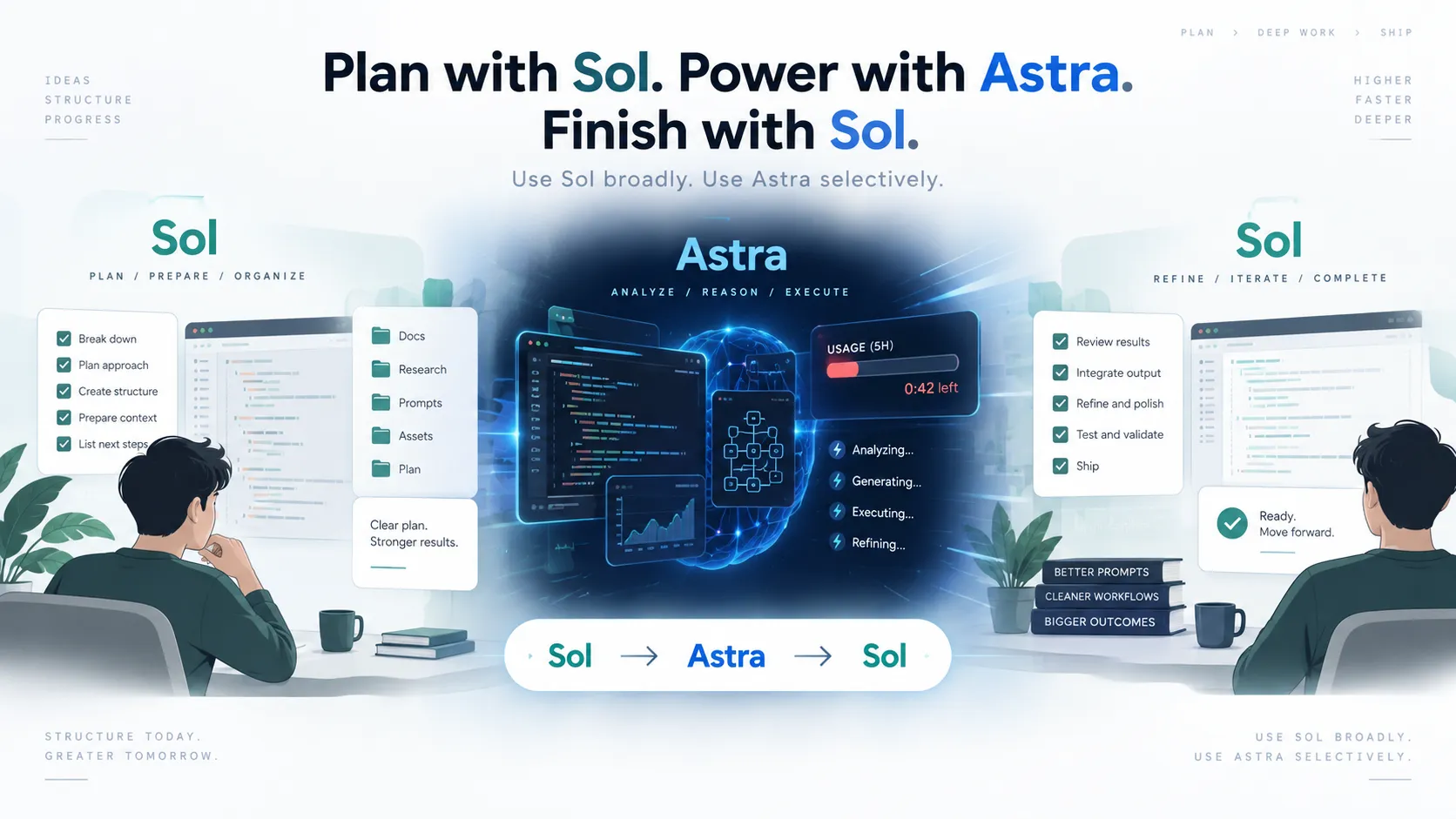
For ChatGPT Plus users, my current approach is simple: use GPT-5.6 Sol for routine analysis, planning, implementation, and verification, and switch to GPT-6 Astra when the problem is difficult enough to justify it.
The workflow I use is:
Sol → Astra → Sol
Sol narrows the problem. Astra handles the difficult part. Sol takes over again for follow-up changes and verification.
This isn’t because Astra disappointed me. It’s almost the opposite. Astra was fast and capable enough that I wanted to keep using it. The problem was how quickly that consumed my available Plus usage.
What I Actually Tested
I didn’t start with a synthetic coding benchmark. I used an existing project: vibe-start.com.
The site already had a feature for helping users set up a development environment. Instead of asking Astra to build something isolated from scratch, I asked it to work inside the existing codebase.
The work involved several stages:
- understanding the existing project structure,
- analyzing the development-environment setup feature,
- finding meaningful improvements,
- implementing selected changes,
- and checking whether the changes worked correctly.
This matters because working inside an existing codebase is where coding models often become expensive. They need context. They read files, follow dependencies, understand previous decisions, make edits, and verify what they changed.
What Impressed Me About GPT-6 Astra
1. It understood the structure quickly
The biggest difference I noticed was not simply better code generation.
Astra was good at looking at the existing project and figuring out how the pieces fit together. It found the relevant structure and moved toward the actual problem quickly.
That is valuable in vibe coding because writing code is often not the slowest part anymore. Getting the model to understand what it should change — and what it should leave alone — can take more time than the edit itself.
2. It found improvement opportunities quickly
I also liked the quality of its analysis.
I wasn’t just asking, “Does this code work?” I wanted it to inspect an existing feature and find improvements that would actually matter to users.
Astra did that well. It moved from understanding the structure to identifying useful changes without spending much time wandering through unrelated parts of the project.
3. Implementation and verification were fast
The speed continued after analysis.
Once the changes were selected, implementation and checking also felt noticeably fast. That made Astra feel less like a model I should save only for theoretical reasoning and more like something I could use for an entire development session.
And that is exactly where I ran into the problem.
My Five-Hour Usage Window Was Gone in About 25 Minutes
During this test, the usage available in my five-hour window was exhausted after roughly 25 minutes.
This is one user’s experience with one real development task, not a fixed rule saying every Plus user gets 25 minutes of Astra.
OpenAI’s current documentation says Astra can consume Work and Codex allowance faster than GPT-5.6 Sol. Actual usage varies with the task, input and output size, reasoning settings, speed settings, context, and the amount of work performed.
See the official OpenAI documentation.
That distinction is important.
The lesson isn’t:
“GPT-6 Astra only gives you 25 minutes.”
My lesson was:
“A large existing-codebase task can burn through limited Astra usage much faster than I expected.”
The Mistake: Using the Best Model for Everything
My first instinct after seeing Astra’s performance was obvious: if it understands the project better and works faster, why not keep using it?
For a Plus user, I don’t think that’s the best strategy.
Not every development task needs the strongest model available.
Consider these tasks:
- checking the current Git state,
- summarizing files already modified,
- running a build,
- fixing a simple type error,
- changing copy,
- making a small UI adjustment,
- reviewing a straightforward implementation,
- or preparing a clean prompt for a harder task.
Using limited Astra capacity for all of them means spending the most valuable resource on work another model can already do well.
The Workflow I Use Now: Sol → Astra → Sol
Step 1: Use Sol to understand and narrow the task
I start with GPT-5.6 Sol.
Sol can inspect the current state, understand what has already been done, identify relevant files, separate the important work from unrelated cleanup, and turn a broad request into a much smaller task.
The goal isn’t just to get an answer from Sol.
The goal is to reduce how much context and exploration Astra will need later.
Step 2: Give Astra only the hard part
Once the problem is clear, I switch to Astra when I think stronger reasoning or codebase understanding can materially improve the result.
Good Astra tasks include:
- a difficult architectural decision,
- a bug involving several interacting files,
- a core implementation where mistakes would create more work later,
- a problem Sol has tried but hasn’t solved cleanly,
- or an analysis where understanding several parts of the system at once matters.
The prompt should also be narrow.
Instead of:
Analyze this repository and improve anything that needs improvement.I prefer something closer to:
Continue from the current project state.

Do not re-analyze the entire repository.
Focus only on the development-environment setup feature.

Use the existing analysis and modified files as your starting point.
Do not perform unrelated refactoring.

Implement only the 1-3 remaining changes with the highest user impact.
Then verify the changed functionality.
This is not only better prompting. On a plan with limited high-end model usage, it is resource management.
Step 3: Switch back to Sol
After Astra solves the difficult part, I don’t see much reason to keep it selected automatically.
I switch back to Sol for things such as:
- reviewing the changed files,
- small follow-up fixes,
- type checking,
- build verification,
- cleanup,
- documentation,
- and deciding what to work on next.
If verification reveals another genuinely difficult problem, I can switch back to Astra again.
Which Model Should Handle Which Task?
| Task | My Default Choice |
|---|---|
| Initial project status check | Sol |
| Routine code analysis | Sol |
| Narrowing a broad request | Sol |
| Simple implementation | Sol |
| Build and type-check follow-up | Sol |
| Complex codebase analysis | Astra |
| Multi-file bug with unclear cause | Astra |
| Important architectural decision | Astra |
| Core implementation with high failure cost | Astra |
| A problem Sol keeps failing to solve | Astra |
This isn’t a hard technical rule. It’s my current way of deciding whether a task deserves limited Astra usage.
Astra’s Speed Changes the Economics of Vibe Coding
One thing I didn’t expect was how important speed would be.
I expected a more capable model to be useful mainly because it would think better. In this test, Astra also felt fast while analyzing, implementing, and checking the project.
That changes the experience.
If a stronger model were painfully slow, I would naturally use it only when necessary. Astra made the opposite temptation stronger: it was good enough and fast enough that I wanted to leave it on.
For a Plus user with limited Astra allowance, that can be exactly the wrong behavior.
My Rule for ChatGPT Plus
I now ask one question before switching to Astra:
“Will better reasoning on this particular step save enough rework to justify using Astra?”
If the answer is no, I stay with Sol.
If the answer is yes, I first use Sol to make the problem as small and explicit as possible, then give that narrowed task to Astra.
This lets me use Astra where its extra capability actually changes the outcome instead of spending it on every step of the workflow.
What I Would Do Differently Next Time
I would not begin an Astra session with a broad repository-analysis request unless the repository itself was the problem.
Instead, I would:
- use Sol to inspect the current state,
- identify the relevant files,
- define the exact problem,
- remove unrelated work from the scope,
- switch to Astra for the hardest part,
- then return to Sol for verification and routine follow-up.
In other words, I wouldn’t try to make Astra use fewer tokens by asking it to be less capable.
I would give Astra fewer things that don’t require Astra.
Final Takeaway
My first real development session with GPT-6 Astra convinced me of two things at the same time.
First, Astra is genuinely useful for existing-codebase work. It understood structure quickly, found good improvement opportunities, and moved through implementation and verification fast.
Second, that doesn’t mean I should use it for everything.
On ChatGPT Plus, the better strategy for me is:
Use Sol broadly. Use Astra selectively. Then return to Sol.
That might be less exciting than leaving the newest model selected all day, but after watching my five-hour usage window disappear in about 25 minutes, it is the workflow that makes the most sense for how I actually build.